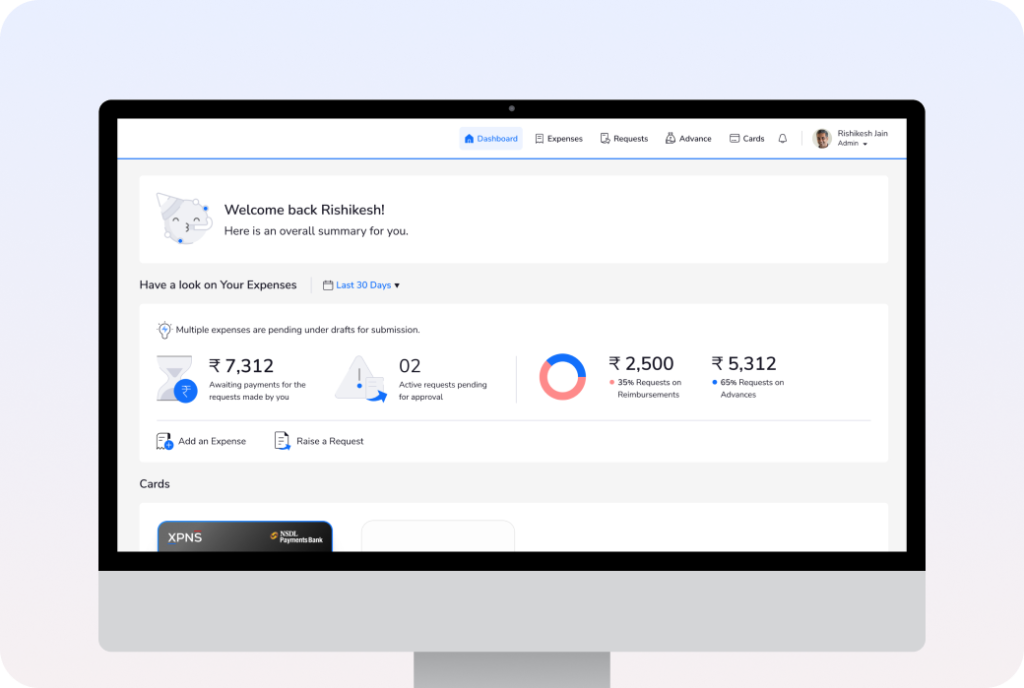
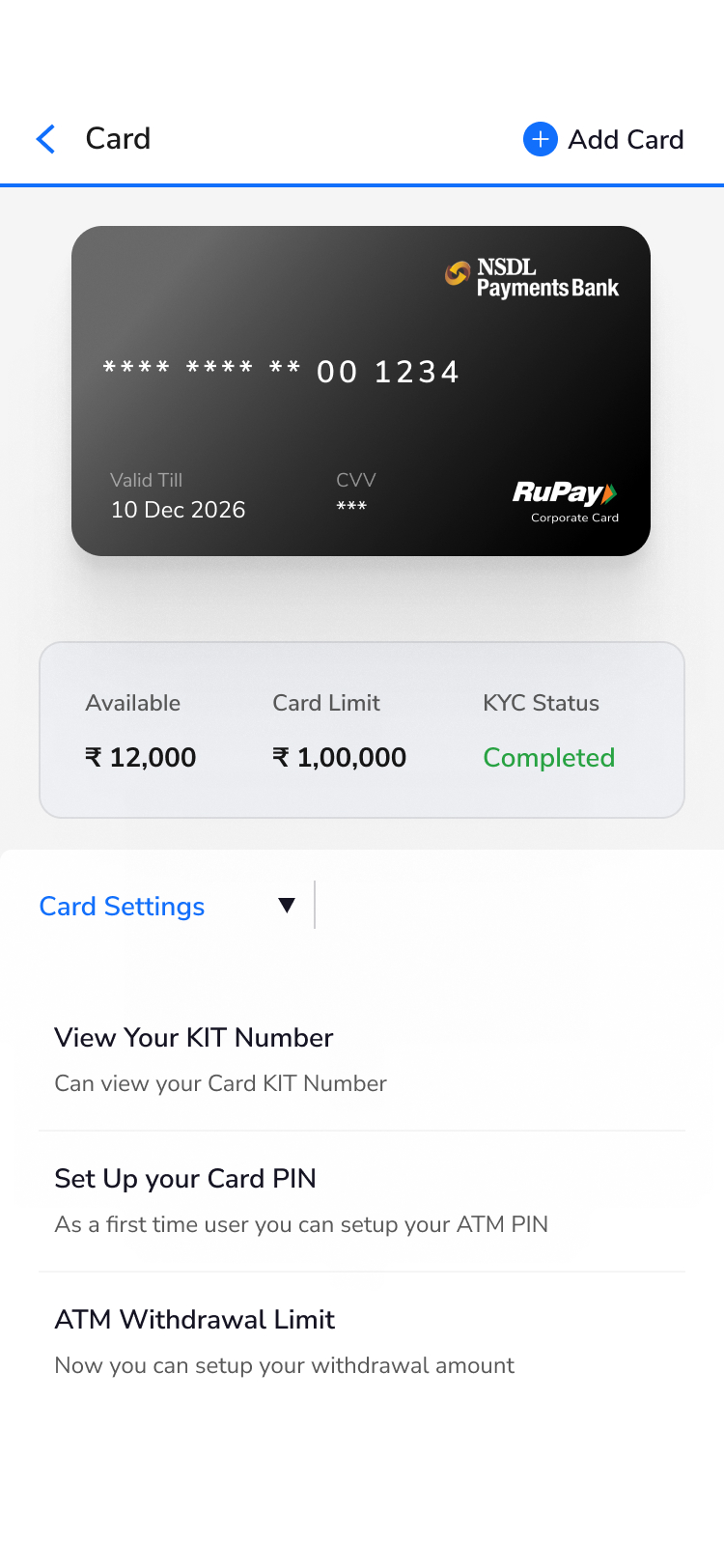
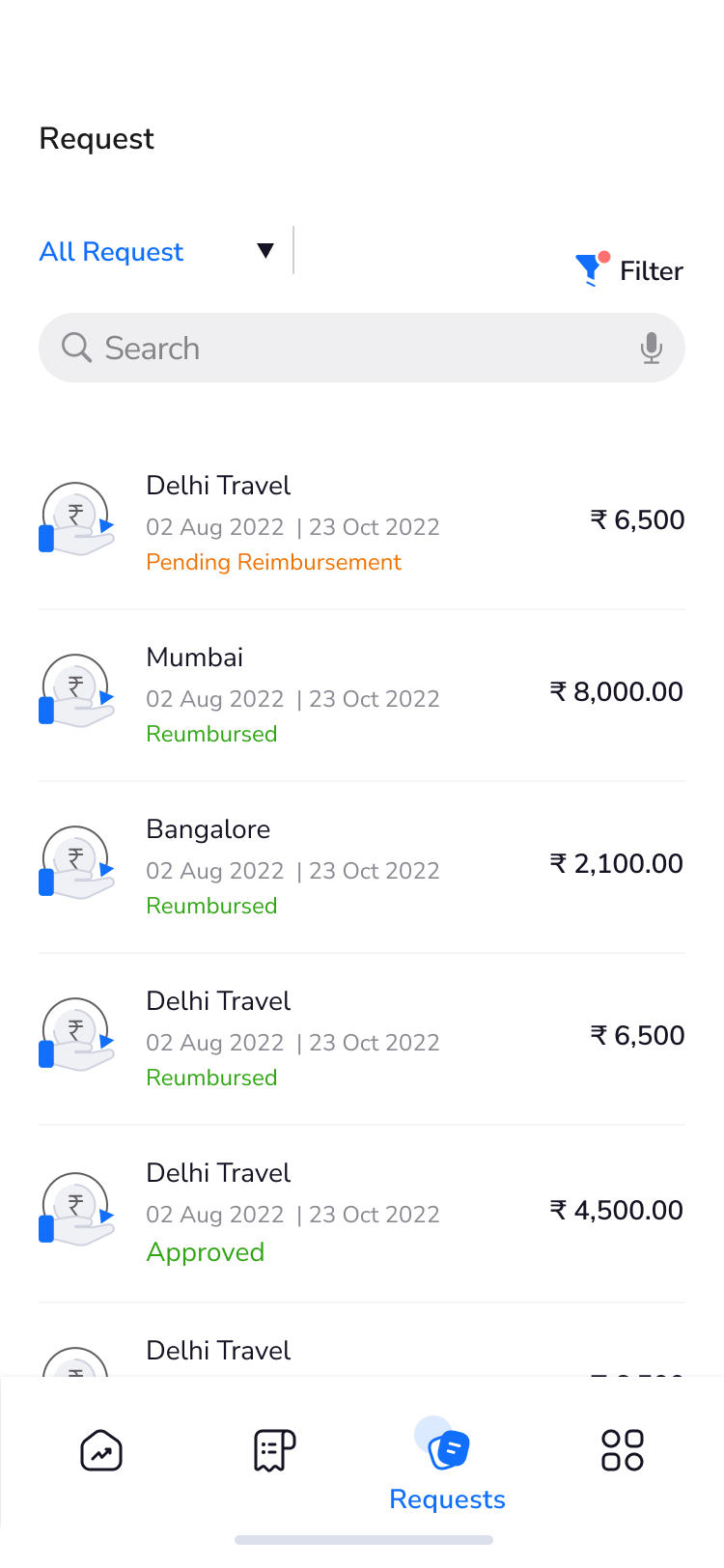
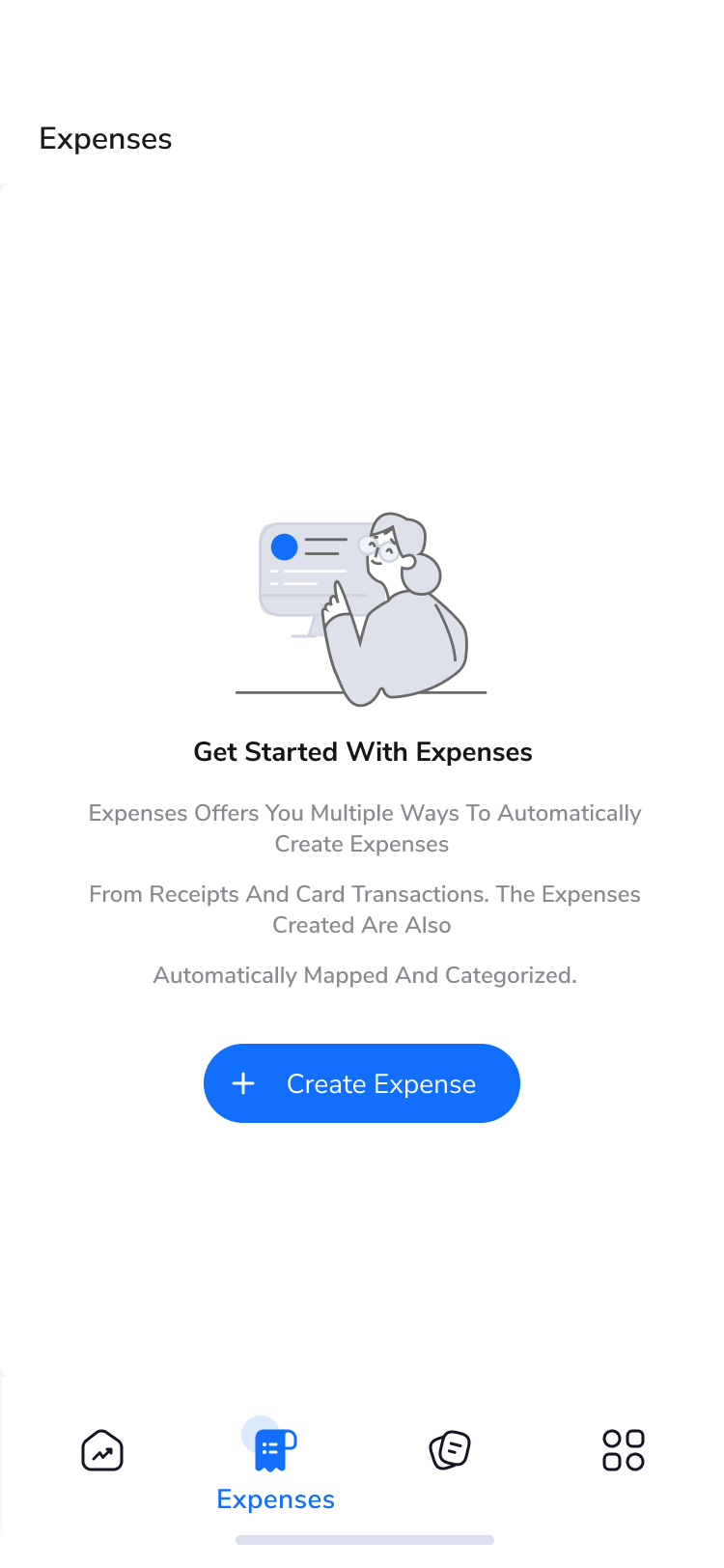
Expense management platform that helps businesses track, manage, and report expenses. It provides better visibility and control over business spending.
Project Details
Managing employee expenses was often a fragmented and time-consuming experience. Reporting, submitting, approving, and reimbursing expenses involved multiple steps and disconnected workflows, with limited guidance for users. Businesses also faced a steep onboarding process, requiring significant setup before they could start seeing value.
Simplifies the expense lifecycle through a centralized, intuitive platform, enabling businesses to self-onboard, get started quickly, and scale as their needs evolve.
Quick Facts
My Role
UX / UI Designer
Platform
Desktop Web Application
Domain
Fintech
Team
PM + 1 Designer + 8 Engineers + 2 QA
My Contribution
Research, Interaction Design & UI Design, Dev Handoff.
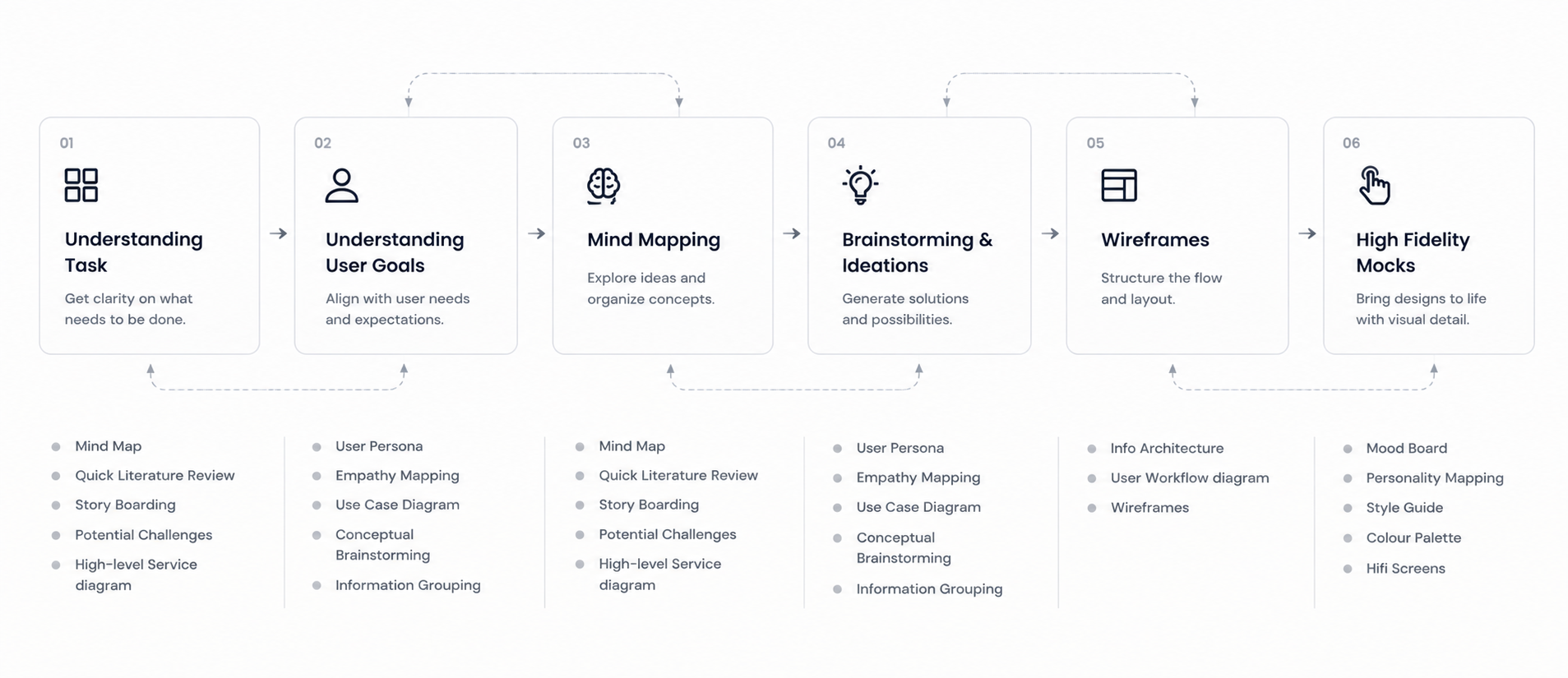
Design Process
We followed a structured design process to understand the existing system and design a solution that meets both project and business goals.
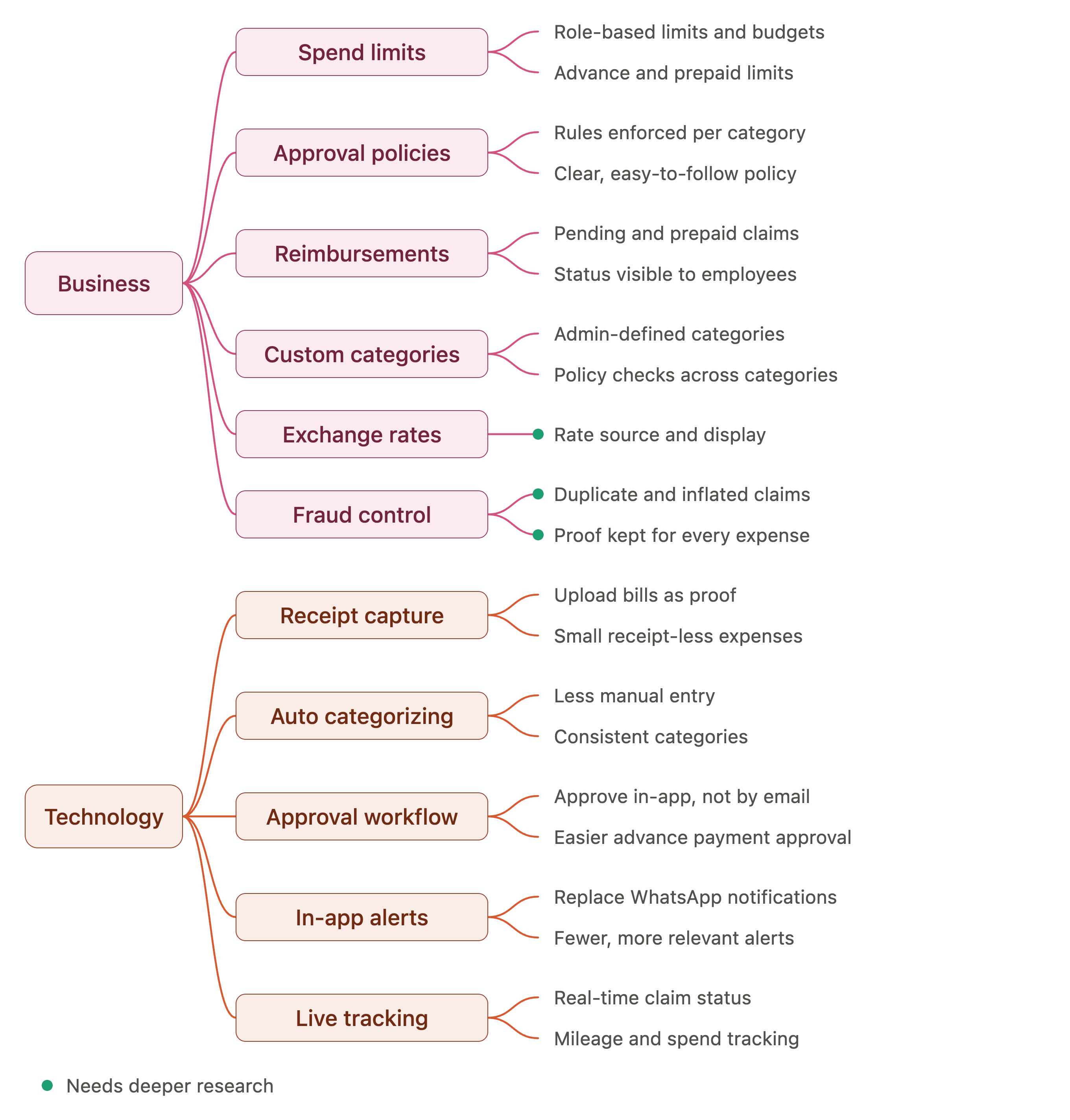
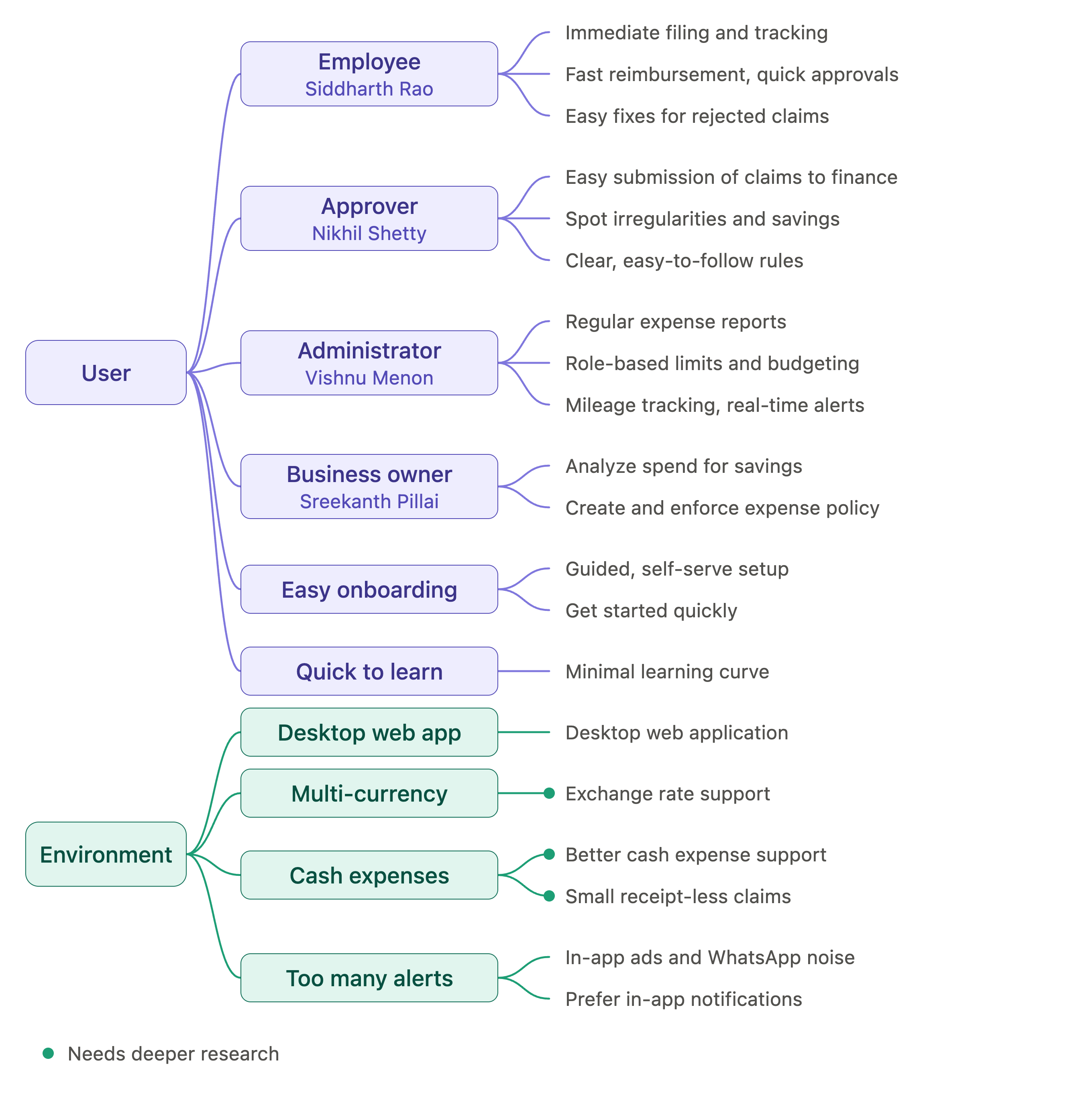
Mind Map
I gathered everything that shapes the expense experience into one mind map, organized by business, technology, user, and environment contexts. Whenever I faced a design decision, I could return to the map to check what a good expense experience needs and what to avoid.
Understanding the Users & Their Pain Points
Employee
Struggled to manage bills and receipts as proof of expense
Spent significant time manually uploading and entering expense details
Found it difficult to track small, receipt-less expenses
Lacked visibility into where their reimbursement stood in the process
Needed time to learn and get comfortable using the application
Approver
Mundane tasks that could be automated
Proofs not properly maintained
Expense submissions handled over email
Advance payments hard to approve
Digital Platform Users
Too many in-app ads
Want WhatsApp notifications
Want in-app update notifications
Need better support for cash expenses
Administrator
Time-consuming expense tracking
Records hard to maintain
Tedious pending/prepaid reimbursement
Hard to check policies across categories
Excess back-and-forth in approval/reimbursement
Digital Platform Users
Too many in-app ads
Want WhatsApp & in-app notifications
Need better cash expense support
Want custom categories & exchange rate support
Key Insights
Users distrust existing platforms that add to their workload instead of easing it
They need a guided system that automates manual tasks and requires minimal learning
Personalized, transparent, real-time tracking reduces turnaround time
Business Focus
Better platform integration, security & fraud control
Actionable insights on spend, ROI, assets & liabilities
Visibility into where to cut costs and spend smarter
Analytics to manage expenses alongside overall business health
User Research - Persona
Managing employee expenses was often a fragmented and time-consuming experience. Reporting, submitting, approving, and reimbursing expenses involved multiple steps and disconnected workflows, with limited guidance for users. Businesses also faced a steep onboarding process, requiring significant setup before they could start seeing value.
Vishnu Menon
Administrator • Age: 46 • Role: Head of Finance
Goals
Regular expense reports
Easy role-based limits and better budgeting
Instant feedback on rejected claims
Mileage tracking and real-time alerts
Lower operational costs through automation
Nikhil Shetty
Approver • Age: 32 • Operation Manager
Goals
Easy submission of approved claims to finance
Analyze spend data for irregularities and savings
Optimize operational costs and spending
Make regulations clear and easy to follow
Create and enforce expense policy
Sreekanth Pillai
Business Owner • Age: 28 • Role: Founder
Goals
Easy submission of approved claims to finance
Analyze spend data for irregularities and savings
Optimize operational costs and spending
Make regulations clear and easy to follow
Create and enforce expense policy
Siddharth Rao
Employee • Age: 26 • Role: Medical Representative
Goals
Immediate filing and efficient tracking of expenses
Faster process from submission to reimbursement, with quick approvals
Auto-categorization of spend and clear view of pre-approved limits
Insights on expense patterns to optimize spending
Easy fixes for rejected/unapproved claims
Solution Overview
01
User and stakeholder interviews revealed strong alignment on goals, with a few gaps that offer clear direction for UX improvements
02
This research forms the foundation for building well-informed personas
03
Personas capture key user characteristics and behaviors, guiding the platform toward a more intuitive, user-friendly design
Competitor Feature Listing & Comparison
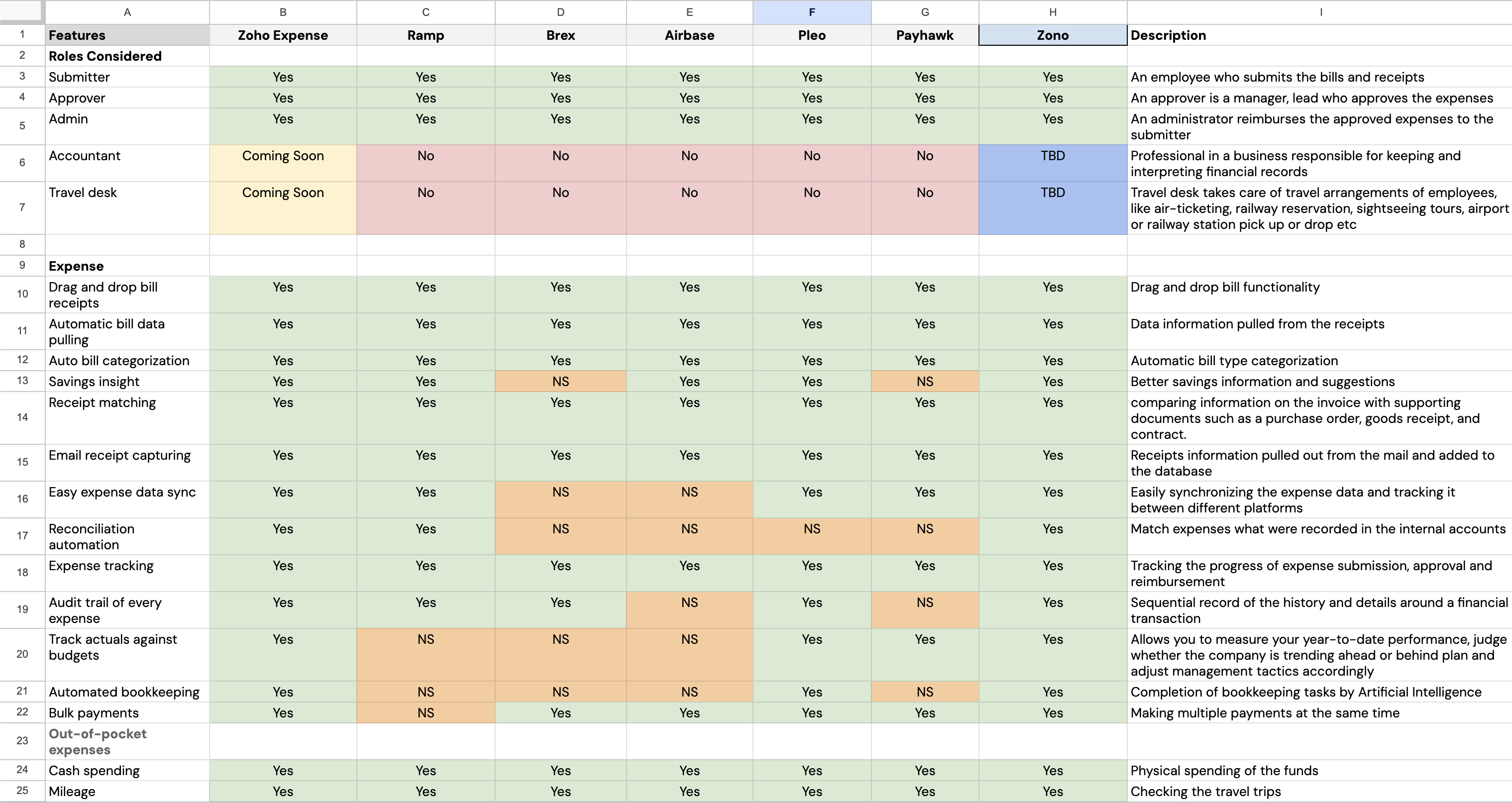
A detailed feature-by-feature comparison across 6 leading competitors
Managing employee expenses was often a fragmented and time-consuming experience. Reporting, submitting, approving, and reimbursing expenses involved multiple steps and disconnected workflows, with limited guidance for users. Businesses also faced a steep onboarding process, requiring significant setup before they could start seeing value.
Simplifies the expense lifecycle through a centralized, intuitive platform, enabling businesses to self-onboard, get started quickly, and scale as their needs evolve.
Design Preview
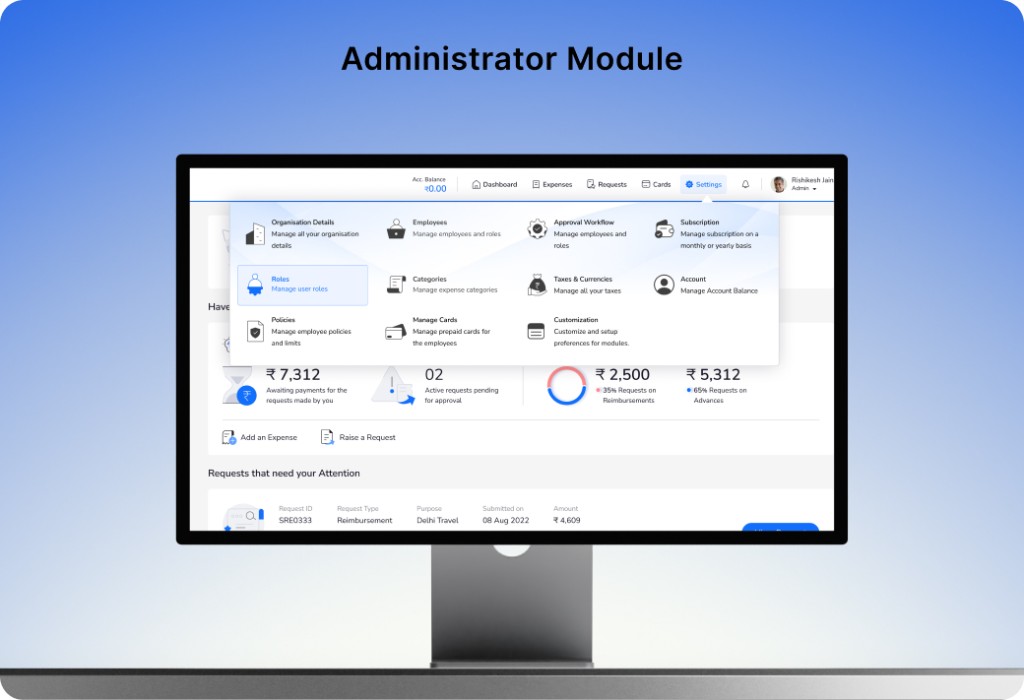
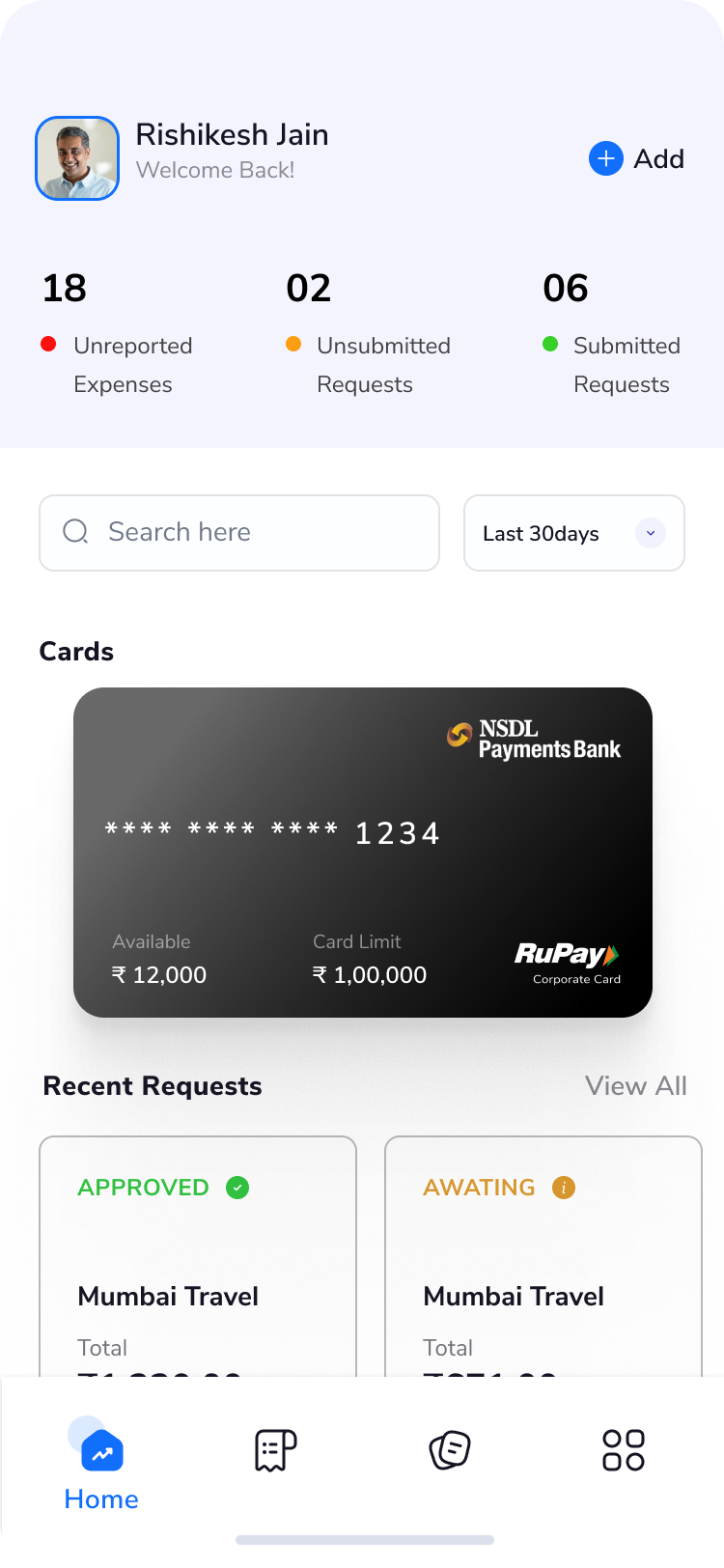
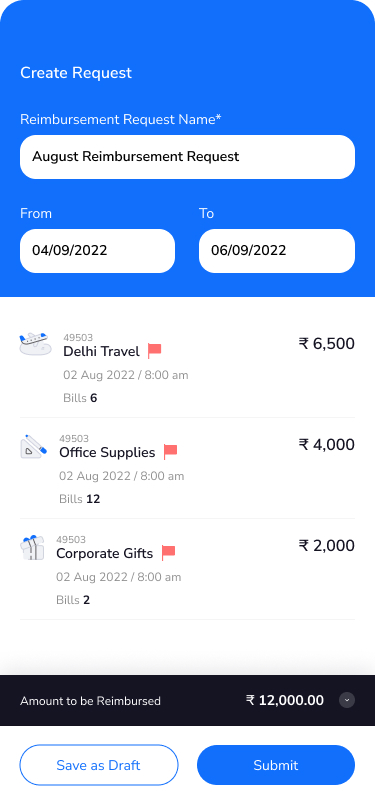
Managing employee expenses was often a fragmented and time-consuming experience. Reporting, submitting, approving, and reimbursing expenses involved multiple steps and disconnected workflows, with limited guidance for users. Businesses also faced a steep onboarding process, requiring significant setup before they could start seeing value.